Bone and joint visualization
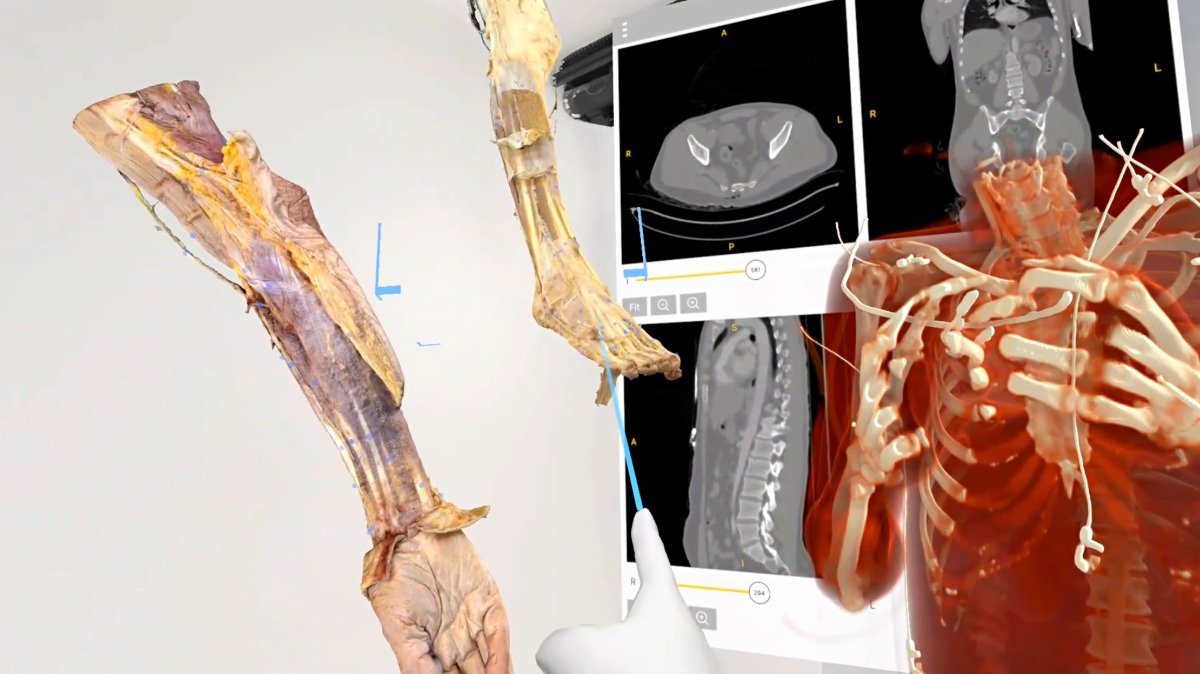
Study skeletal structures and their alignment using volumetric imaging and selected slices.
Explore Medical ImagingProfessional use cases
Explore skeletal anatomy and patient-specific imaging in 3D for orthopedic training and case discussion.
Workflow
Import a DICOM dataset, select the relevant views, and use the anatomy as a shared reference.
Applications
Connect cross-sectional imaging with the anatomical relationships discussed in orthopedic education.
Study skeletal structures and their alignment using volumetric imaging and selected slices.
Explore Medical ImagingSegment supported structures to prepare targeted views for teaching and case discussion.
Explore Medicalholodeck AIOrthopedic education requires learners to relate bone shape, joint surfaces, and surrounding anatomy across several imaging views. A 3D volume provides a reference for explaining how these structures are arranged, while the source slices retain the cross-sectional context. Instructors can move between these views rather than asking participants to infer the entire region from a single image.
A teaching session might focus on the knee, the spine, or another selected region. The instructor can establish orientation, identify the relevant landmarks, and compare views that illustrate different structural relationships. The purpose is to explain the anatomy represented in the dataset and give participants a consistent visual reference for discussion.
Where segmentation is used, the prepared view should be considered alongside the underlying imaging. Isolating a structure can make an explanation easier to follow, but a wider view remains useful for showing its relationship to neighbouring tissues. Selecting both focused and contextual views helps structure the teaching session.
For residents and trainees, the material can be introduced before a practical exercise and revisited during debriefing. Participants can describe the position of a structure, explain how it appears in different planes, or compare two views of the same region. These activities turn the dataset into teaching material rather than a passive demonstration.
In a group session, learners can take turns explaining the case using the same anatomical reference. An instructor can then return to particular views to clarify terminology or discuss why an anatomical relationship is relevant to the training objective. This format also supports teaching across disciplines with different levels of imaging experience.
Recorded walkthroughs can preserve the explanation for later revision. A useful recording identifies the teaching objective, establishes orientation, and follows a defined sequence through the material. It can accompany existing course resources and provide a reference before a supervised practical session.
Collaboration
Use TeamXR for orthopedic case teaching with participants in one room or at different locations.
For instructor-led sessions, teacher mode provides control over participant interaction while the material is explained. A session can combine a prepared presentation with questions and shared exploration, allowing participants to return to the same views when clarification is needed.
Capture voice and 3D interactions with RecordXR for training and later discussion.

Get started
Test the software with representative data. Contact our team about supported devices, licences, and your intended use.
Begin with a dataset and session format that reflect your intended use. Check the required applications, viewing devices, group access, and preparation workflow before choosing a licence. This provides a practical basis for evaluating the setup in your own environment.