
1.6 Paramètres
1.6.V1.9-01
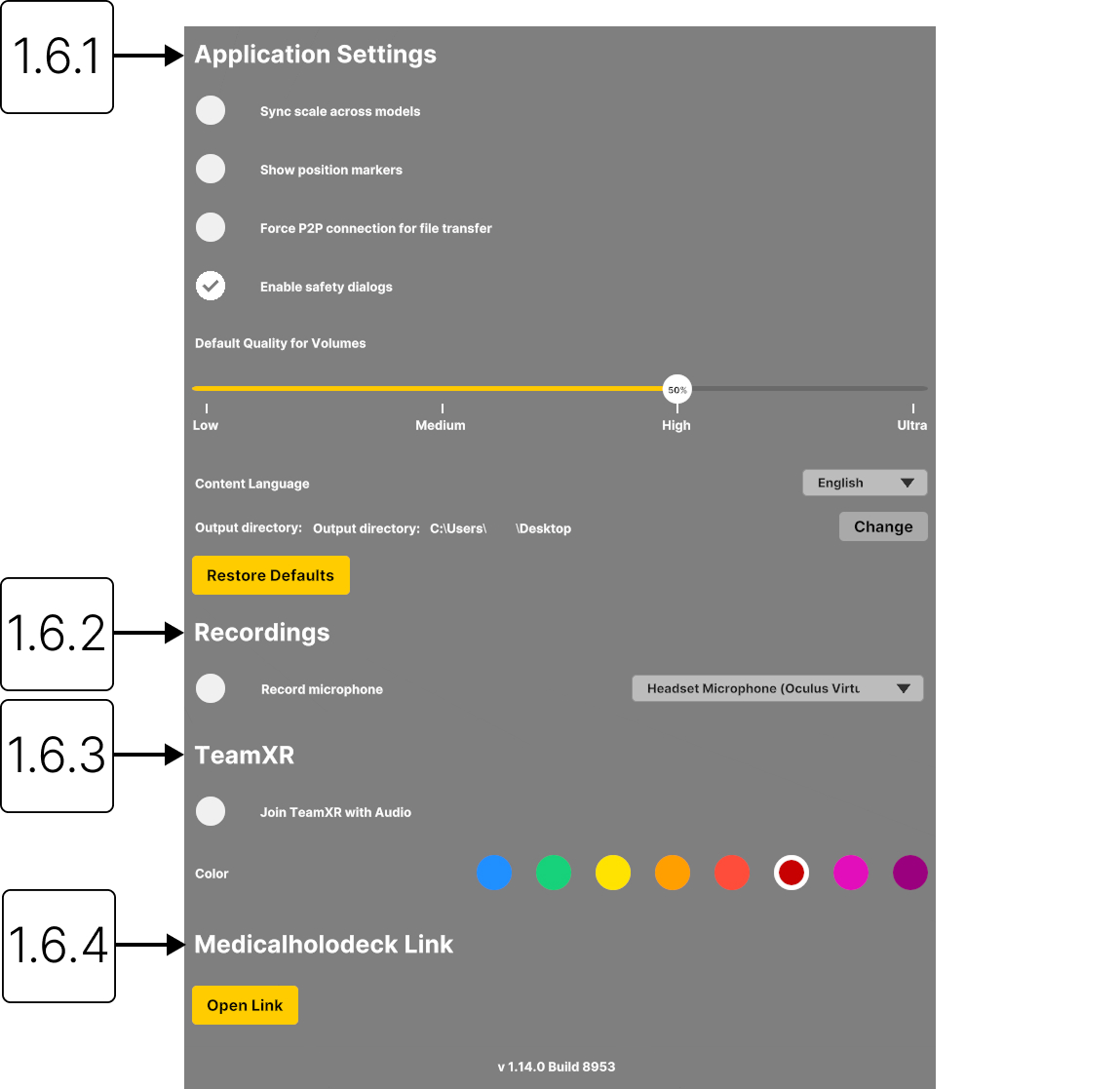
1.6.1
Paramètres de l’application
1.6.1.V1.9-01
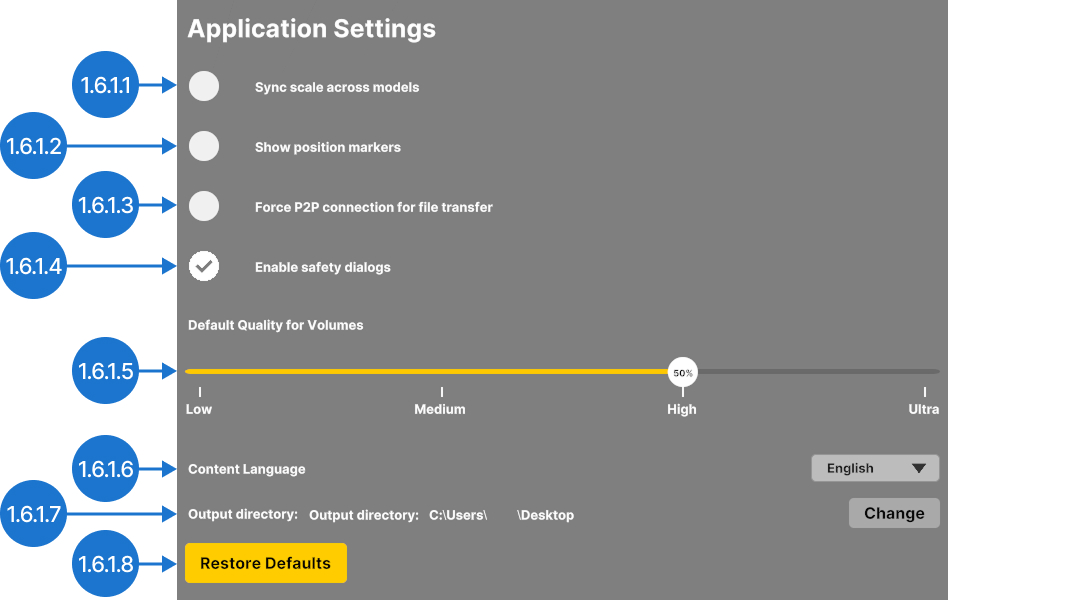
1.6.1.1
Synchroniser l’échelle entre les modèles
Applique le même facteur d’échelle à tous les modèles de l’espace de travail.
1.6.1.2
Afficher les marqueurs de position
Affichez les marqueurs A (antérieur), P (postérieur), L (gauche), R (droite), S (supérieur) et I (inférieur) pour les données DICOM 3D.
1.6.1.3
Forcer la connexion P2P pour le transfert de fichiers
Force le transfert direct des données d’un appareil à l’autre. Les données ne sont pas stockées sur un serveur, ce qui améliore la confidentialité et la sécurité.
1.6.1.4
Activer les boîtes de dialogue de sécurité
Affiche une boîte de dialogue de sécurité lorsque la fréquence d’images reste inférieure à 10 FPS pendant plus de trois secondes. Le système dispose ainsi de temps pour récupérer, ce qui permet d’éviter que l’appareil ne réponde plus.
1.6.1.5
Qualité par défaut des volumes
Définit la qualité de rendu par défaut des jeux de données volumétriques nouvellement chargés. Ce paramètre équilibre les performances et la qualité visuelle.
Remarque : les paramètres de qualité supérieurs à 50% n’apportent que de faibles améliorations visuelles, mais nécessitent une puissance de traitement nettement plus importante.
1.6.1.6
Langue du contenu
Définit la langue du contenu affiché dans Anatomy Master 2 et Dissection Master XR.
1.6.1.7
Répertoire de sortie
Permet de choisir le répertoire d’exportation. Le bureau est sélectionné par défaut.
1.6.1.8
Restaurer les valeurs par défaut
Rétablit la configuration par défaut de tous les paramètres.
1.6.2
Enregistrements
1.6.2.V1.9-01
1.6.2.1
Enregistrer le microphone
Enregistre le son de votre microphone et permet de choisir l’entrée audio utilisée pour les enregistrements.

1.6.3
TeamXR
1.6.3.V1.9-01
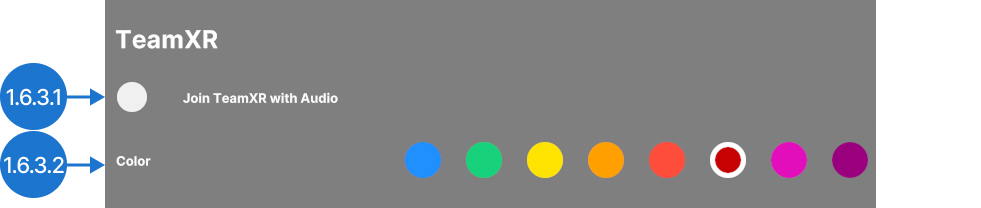
1.6.3.1
Rejoindre TeamXR avec le son
Rejoignez des sessions TeamXR. Le microphone est activé par défaut.
1.6.3.2
Couleur
Choisissez la couleur de vos mains et de vos lunettes dans la session TeamXR.
1.6.4
Medicalholodeck Link
1.6.4.V1.9-01
Ouvre le tableau de bord des appareils de Link, qui permet de gérer vos licences, vos jeux de données, RecordXR, les préréglages, les fonctions de transfert, les chargements et l’assistance. En savoir plus ici.