8.4 Session settings
8.4.V1.9-01
8.4.1
Session
8.4.1.V1.9-01
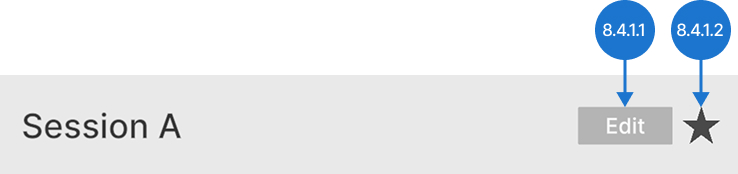
8.4.1.1
Edit
Allows you to change the session’s name.
8.4.1.2
Save
Marks or unmarks the session as saved.
8.4.2
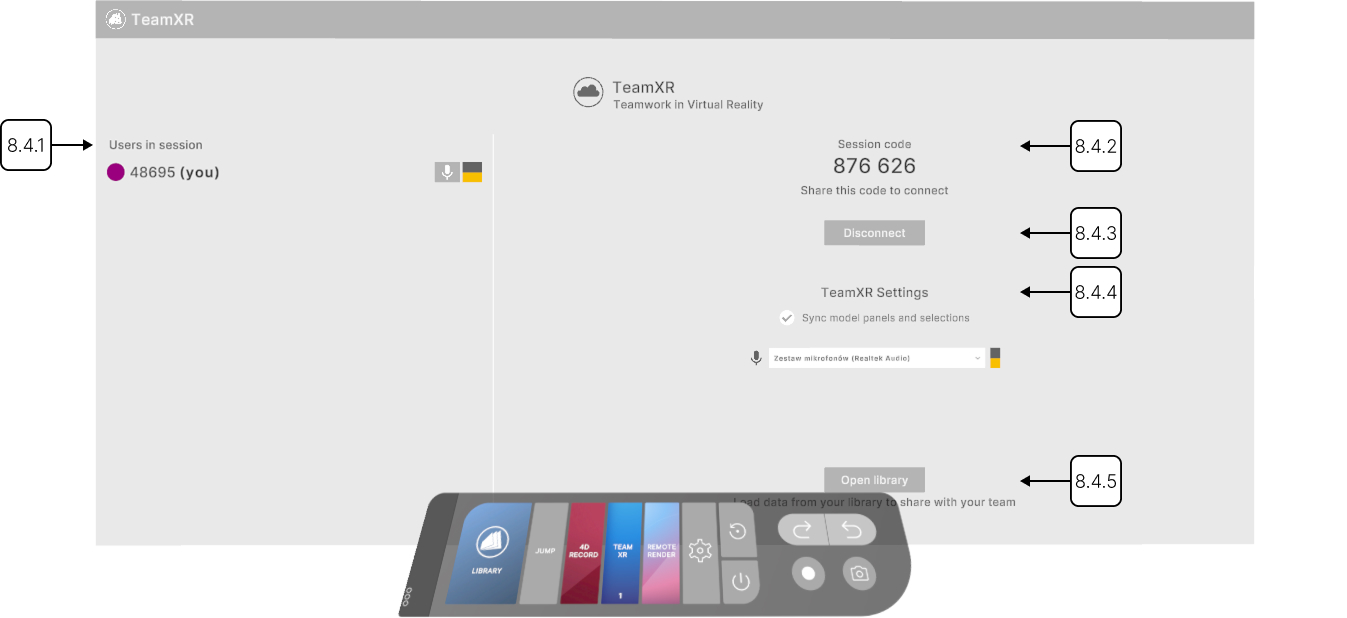
Users in session
8.4.2.V1.9-01
Shows the users in the session.
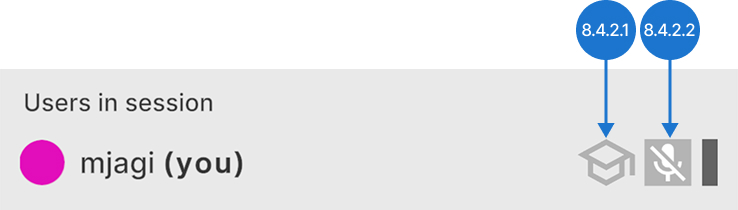
8.4.2.1
Teacher mode
Enters or exits teacher mode. A participant who enters teacher mode gets labeled as a teacher and gains permission to directly interact with session data. Other participants get labeled as students and cannot interfere with these actions. Any active participant can enter or exit teacher mode at any time.
8.4.2.2
Microphone
Toggles your microphone on or off.
8.4.3
Session code
8.4.3.V1.9-01
The session code is displayed here. Share it with others to invite them to join your team.
8.4.4
Disconnect
8.4.4.V1.9-01
Press this button to leave the session.
8.4.5
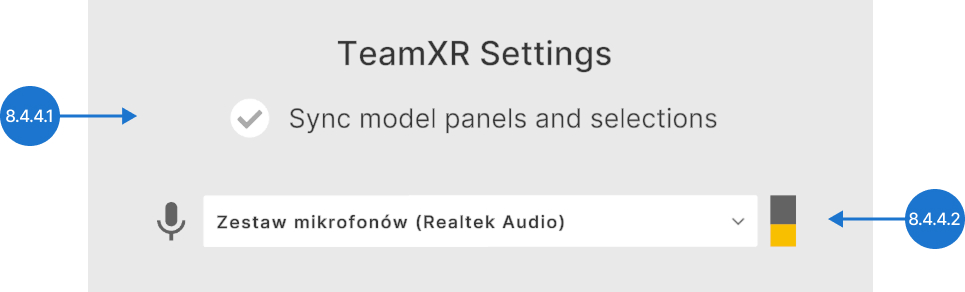
TeamXR settings
8.4.5.V1.9-01
8.4.5.1
Sync model panels and selections
Keeps all users in the session aligned by syncing panel positions and the active model selection. When one participant enables it, the setting applies to everyone in the session.
8.4.5.2
Microphone
Displays available microphones and lets you select the one you want to use.
8.4.6
Open library
8.4.6.V1.9-01
Opens the library to browse and load data into your session.