1.3 Top bar
1.3.V1.9-01
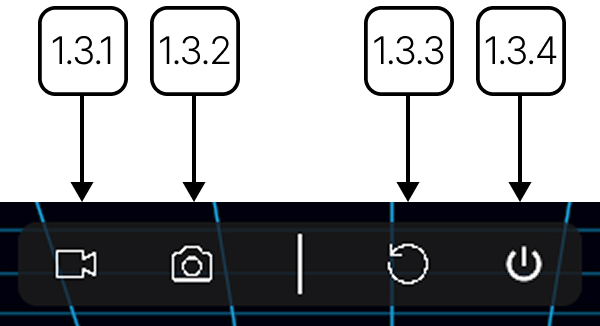
The top bar is located at the top of the screen. It lets you switch between the screen and VR views and contains tools for capturing your work.
1.3.1
VR view
1.3.1.V1.9-01
Switches the active view to the connected VR headset.
1.3.2
2D screen
1.3.2.V1.9-01
Switches the active view to the PC display.
1.3.3
Take screenshot
1.3.3.V1.9-01
Captures an image of the current app view. The image will be saved to your output directory in PNG format.
1.3.4
Start recording
1.3.4.V1.9-01
Records the current app view. Select the button once to start recording and again to stop. The video will be saved to your output directory in MP4 format.