1.7 Loading models
1.7.V1.9-01
Select a model’s icon in the library to load it. You can load multiple models to display them side by side.
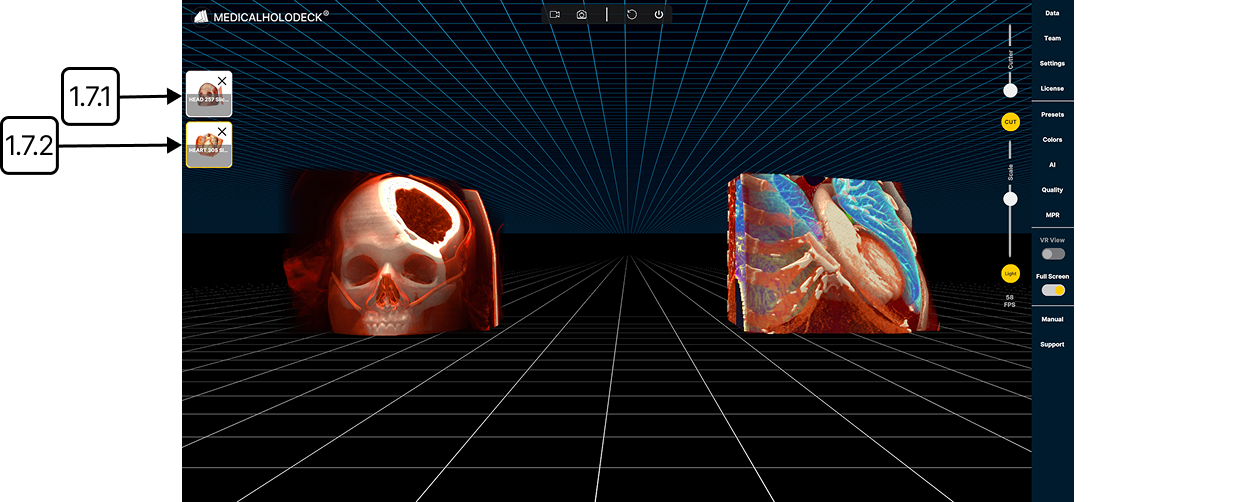
1.7.1
Active model
1.7.1.V1.9-01
Click a model's icon on the left to make it active. The icon is highlighted in yellow, and the model is centered in your view. The active model responds to cutting and scaling tools.
1.7.2
Remove model
1.7.2.V1.9-01
Removes the model from the workspace.