
6.1 Recordings
6.1.V1.9-01
Open the Data tab on the right and scroll to the RecordXR section.
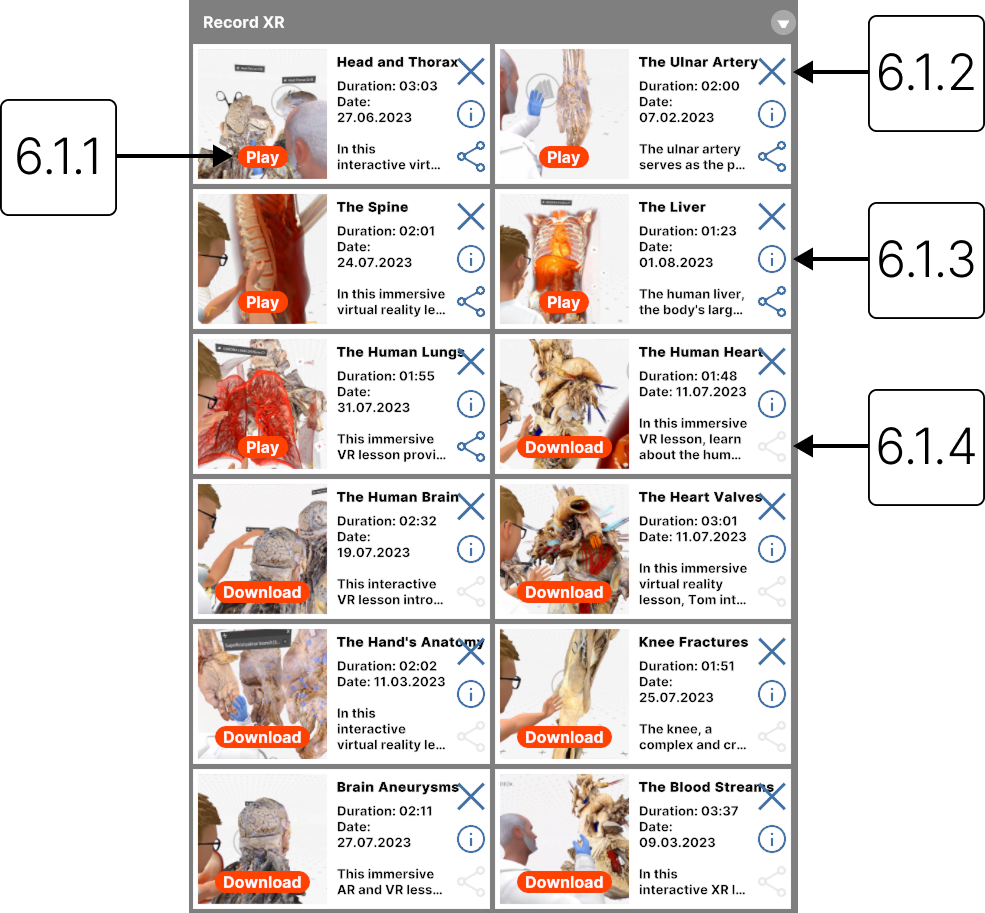
6.1.1
Download/play
6.1.1.V1.9-01
Select Download to save the recording locally. Select Play to start.
6.1.2
Delete
6.1.2.V1.9-01
Deletes the recording from the library.
6.1.3
Description
6.1.3.V1.9-01
Expands the recording description.
6.1.4
Export
6.1.4.V1.9-01
Save the selected recording to your output directory in a .RXR format.