
2.5 Tools
2.5.V1.9-01
Provides tools for converting DICOM models to STL files and making connected tissue regions easier to see. Due to the processing power required, this panel is available only in PC-VR mode.
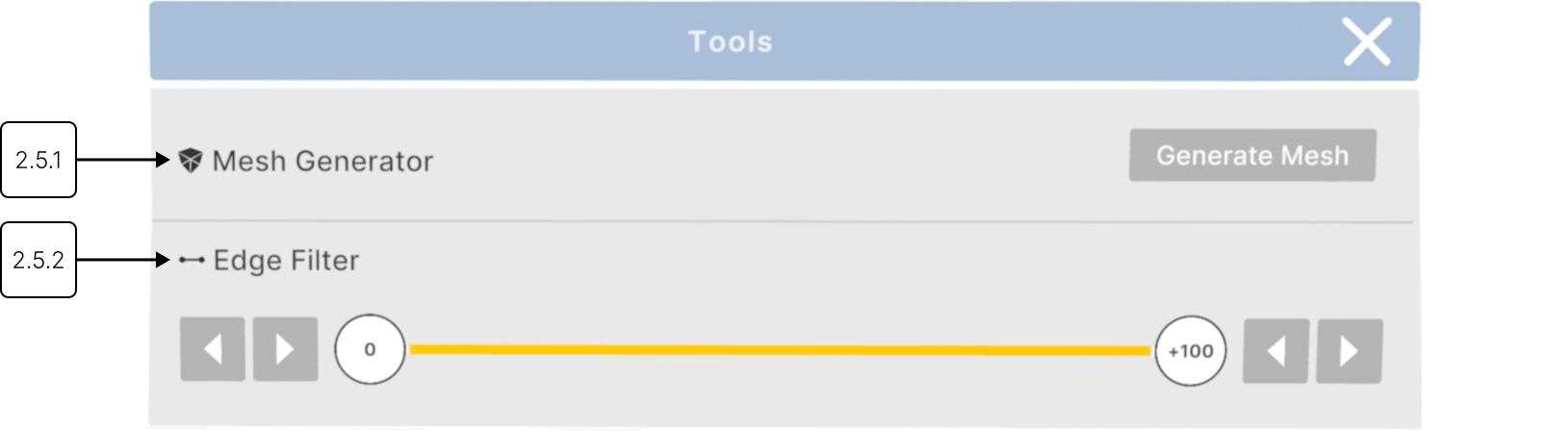
2.5.1
Mesh generator
2.5.1.V1.9-01
Converts DICOM data into a STL format for printing or further analysis.
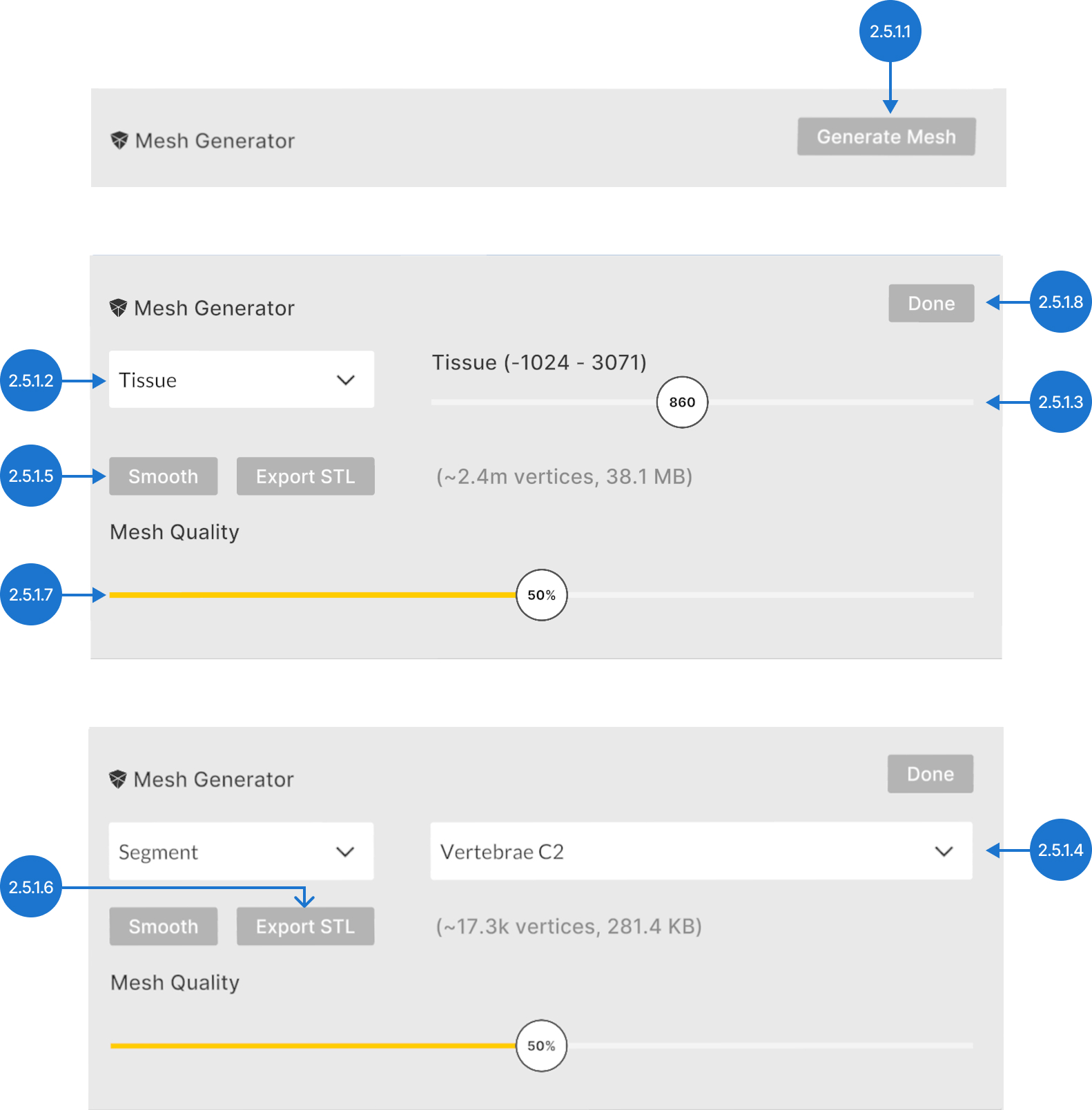
2.5.1.1
Generate mesh
Displays mesh options and a preview alongside the original dataset.
2.5.1.2
Mesh content selection
Allows you to choose between Tissue, which generates the mesh based on Hounsfield Unit (HU) values, and Segment, which generates the mesh from selected AI-segmented structures.
Note: The Segment option is available only for models that have been processed with AI Segmentation.
When choosing Tissue, set the HU value that will be used to generate the mesh.

When choosing Segment, select the structure that will be used to generate the mesh.

2.5.1.3
Export STL
Saves the mesh as an STL file into your output folder.
2.5.1.4
Smooth
Smooths out the created mesh.
2.5.1.5
Mesh quality
Controls the balance between mesh detail and STL file size.
2.5.1.6
Done
Adds generated mesh to the library.
2.5.2
Edge filter
2.5.2.V1.9-01
Improves how clearly you can see where different tissues meet in DICOM data. Move the filter left to show smooth areas. Move it right to highlight where tissue changes quickly.
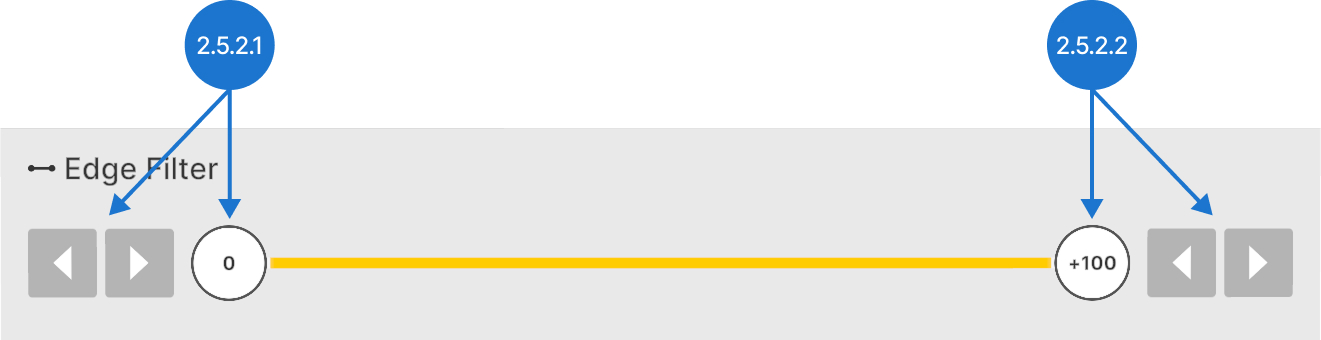
2.5.2.1
Min edge
Adjusts the lower edge value. Select the slider with the trigger and move the slider left or right, then release. Use the arrow to decrease/increase the value by 1.
2.5.2.2
Max edge
Adjusts the higher edge value. Select the slider with the trigger and move the slider left or right, then release. Use the arrow to decrease/increase the value by 1.